

In-House Inspections: IDEXX Sync & Lab Workflow
The In-House Inspection page tracks every lab test performed inside the clinic. Use it to send commands to connected IDEXX instruments, view returned values, manually edit results, and transfer inspections between visit records or even between pets.
How to access
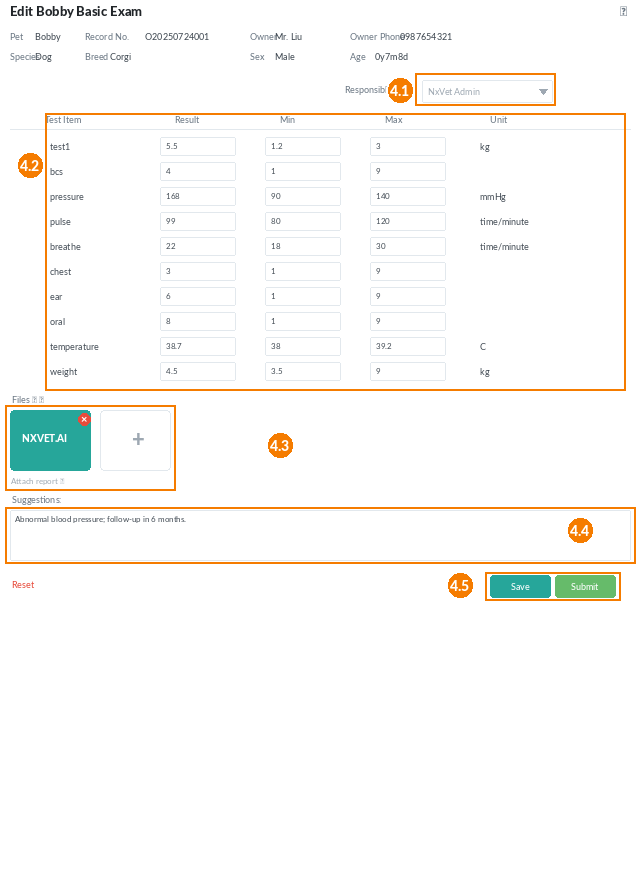
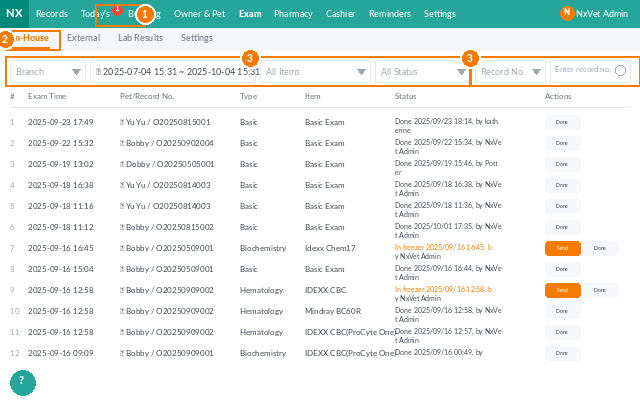
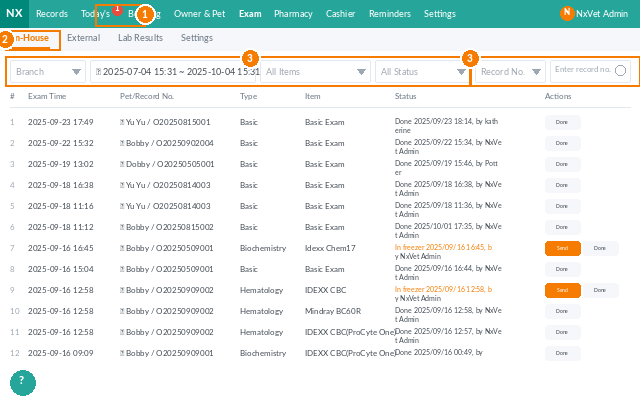
- From the main menu, click Inspection.
- Click In-House.
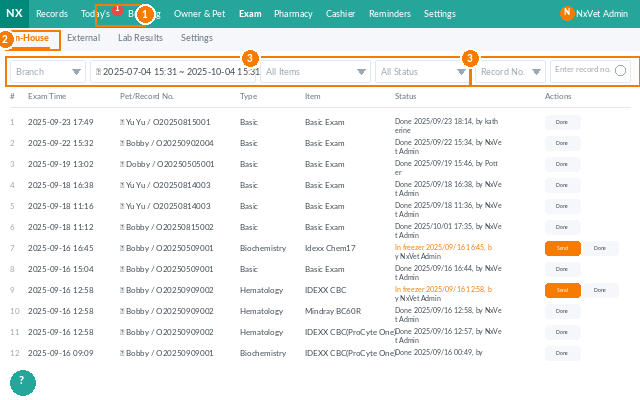
- Use the filter bar to narrow down by Category, Time period, Service type, Inspection status, or Pet medical record number.
What you’ll see on each inspection
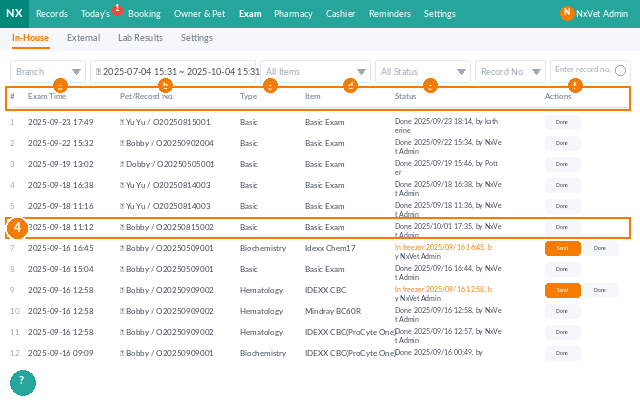
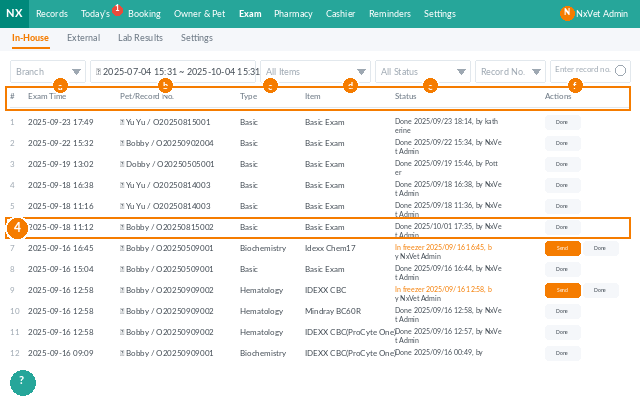
- Inspection time — when the test was created.
- Pet / medical record number — clickable link to the pet profile.
- Category & service — what kind of test (blood work, urinalysis, etc.).
- Status with three states:
- Added to To-Do — not started yet.
- Edited (blue) — partial values entered.
- Completed (green) — all values submitted back to the medical record.
- Operation — send to IDEXX, or transfer the inspection elsewhere.
Sending an inspection to IDEXX
- Locate the inspection row.
- Click Send IDEXX.
- The instrument receives the command, runs the test, and returns values automatically to NxVet.
Editing inspection values manually
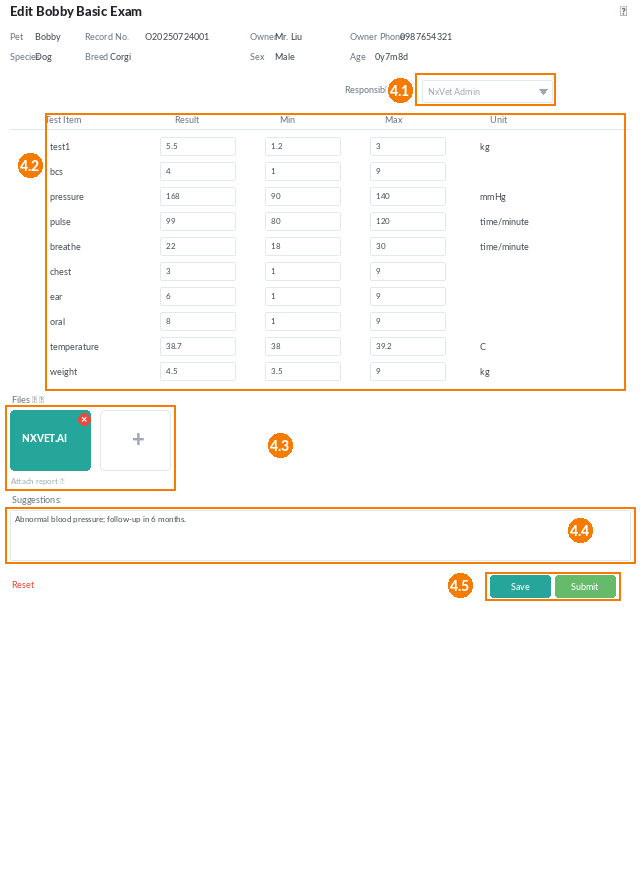
- Click the inspection row to open the edit page.
- Set the Responsible personnel.
- Enter or correct the Inspection values. Each value shows its acceptable min/max range for diagnostic reference.
- Attach reports or images in Files. Click the pencil icon to caption an image.
- Write findings in Suggestions for the vet to read.
- Click Save to keep working (status turns blue) or Submit to push everything back to the medical record (status turns green).
Transferring an inspection
Sometimes a test gets created on the wrong visit or even the wrong pet. Use Transfer to move it cleanly:
- From the inspection row, click Transfer.
- Pick the destination pet (the original pet or any other pet).
- Pick the destination visit record.
- Click Transfer. The inspection moves with all its values intact.
Tip
Don’t leave inspections stuck on Edited overnight — vets rely on the Completed status to know what they can review in the medical record. If values are partial because results are still pending, drop a quick note in Suggestions so the next reader has context.